

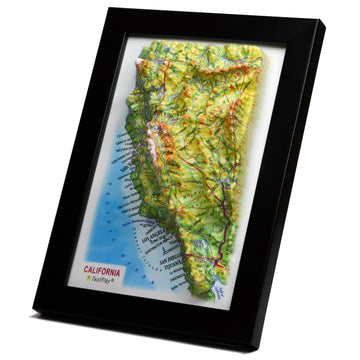



Navigate Your Next Adventure: A Practical Guide to Using Maps for Road Trips
Road trips represent freedom, exploration, and the thrill of the open road. They are journeys of discovery, often leading us to unexpected places and memorable experiences. However, even the most spontaneous adventure requires a degree of planning and, crucially, reliable navigation. Getting lost can turn excitement into frustration quickly, and relying solely on a single method of finding your way can leave you vulnerable when technology falters.
Imagine being deep in a national park or a remote scenic byway only to find your phone signal has vanished, leaving your digital map useless. Or perhaps your device battery dies unexpectedly, and you're left without a clue where to go next. These situations are more common than you might think, and they highlight a critical need for robust navigation skills that go beyond simply following a voice on a screen. This comprehensive guide is designed to equip you with the practical strategies you need to use maps effectively, ensuring your road trip is safe, enjoyable, and stress-free from start to finish. We will delve into choosing the right tools, mastering route planning, navigating confidently en route, and developing essential map-reading skills, providing you with the knowledge to tackle any journey.
This post, building upon insights from The Practical Guide to Using Maps for Road Trips, focuses specifically on practical application. We will cover how to build your map arsenal, leverage maps for detailed planning, use them dynamically during your travels, and gain advanced skills for maximum confidence. By the end of this guide, you will understand how to harness the power of both digital and paper maps, ensuring you are always oriented and ready for whatever the road throws your way. Let's embark on this journey to become a truly capable road trip navigator.
Building Your Road Trip Map Arsenal: Digital versus Paper and The Power of Both
In the modern era, the first thing many people reach for when planning a trip is their smartphone or a dedicated GPS device. Digital maps offer incredible convenience, real-time traffic updates, and vast amounts of searchable information. However, relying exclusively on digital tools can be risky for the reasons mentioned earlier – signal loss, battery failure, and even software glitches can leave you stranded without guidance.
Conversely, traditional paper maps have been the trusted companion of travelers for centuries. They do not require batteries or signals, providing a reliable overview of your route and surrounding areas. While they lack real-time updates, their tactile nature and comprehensive scale can offer a different, often more intuitive, perspective on geography and distance. Understanding the strengths and weaknesses of each type of map is the first step towards building a truly resilient navigation system for your road trip.
The Advantages and Disadvantages of Digital Maps
Digital mapping applications and devices provide numerous benefits that have revolutionized travel. They can calculate the fastest route considering current traffic conditions, search for points of interest like restaurants, gas stations, and attractions with ease, and offer turn-by-turn voice navigation. Many platforms allow you to download maps for offline use, mitigating the signal loss issue in some areas, though the extent of detail and coverage offline can vary significantly. Features like satellite view can also help you visualize terrain and surroundings before arrival.
However, the drawbacks are notable. Digital devices are dependent on power sources; a dead battery renders them useless. Signal availability, particularly in rural or mountainous regions, can be patchy or non-existent, preventing route calculations, searches, and updates. The small screen size can sometimes make it difficult to get a broad overview of a large area, and the interface can be distracting while driving. Furthermore, software bugs or accidental app closures can interrupt navigation flow unexpectedly, causing confusion in crucial moments.
The Advantages and Disadvantages of Paper Maps
Paper maps offer unparalleled reliability; they work in any weather, any location, and never run out of power. They provide a static, complete picture of a large area at once, making it easier to understand the relationship between different locations and see alternative routes or nearby features that a digital map might not highlight initially. Using a paper map encourages a deeper understanding of geography and orientation, improving your overall spatial awareness. They can also be used for sketching notes, marking points of interest, or tracking your progress physically.
On the downside, paper maps are not interactive. They cannot provide real-time traffic information or dynamically recalculate routes based on current conditions. Updating paper maps requires purchasing new versions, which can be inconvenient. They can be bulky to store and difficult to handle in a moving vehicle, especially in windy conditions. Locating specific addresses or very niche points of interest can also be more time-consuming compared to a digital search. Despite these limitations, their fundamental reliability makes them an indispensable backup.
The Power of Combining Both: A Hybrid Approach
The most effective strategy for road trip navigation is to use both digital and paper maps in conjunction. Digital maps are excellent for initial route planning, searching for dynamic information (like current business hours or traffic jams), and providing turn-by-turn guidance in areas with good signal. Paper maps serve as your essential backup, providing context, a broad overview, and reliable orientation when technology fails. They also allow you to visualize your entire journey and surrounding areas in a way a small screen often cannot replicate.
Think of your digital map as the active navigator and your paper map as the strategic overview and safety net. Use the digital map for the moment-to-moment directions and searches, but periodically consult your paper map to understand where you are in the bigger picture, identify potential future stops, or scout alternative routes. Having both ensures you are prepared for unexpected situations and can navigate confidently regardless of technological hiccups. This hybrid approach provides both efficiency and peace of mind on the road.
Using Maps for Effective Road Trip Planning
Effective planning is the bedrock of a successful and enjoyable road trip, and maps are your most powerful tool in this phase. Planning isn't just about deciding your destination; it involves mapping out your route, identifying potential stops, estimating travel times, and considering logistics like gas and lodging. Utilizing both digital and paper maps during planning allows for a thorough approach, combining the speed and data of digital tools with the comprehensive perspective of paper. This upfront investment in planning can save you significant time and stress during the actual trip, preventing surprises and ensuring smoother travel days.
Let's break down how to leverage your map arsenal to plan your road trip effectively. From sketching out the initial path to marking specific locations and anticipating journey details, the planning phase is where you lay the groundwork for a successful adventure. This is where you transform a general idea into a concrete, navigable itinerary, considering distances, potential delays, and points of interest along the way.
Initial Route Mapping and Visualizing the Big Picture
Begin by using a large-scale map, either a physical state or regional map or a digital mapping tool zoomed out, to get a sense of the overall journey. Identify your start and end points and the major highways or interstates connecting them. This initial step helps you understand the general direction and the main arteries you will follow. Use a paper map to draw or trace the primary route with a marker, or use digital tools to plot the main legs of the journey. This provides a visual anchor for your plan.
Don't just focus on the fastest route initially. Use the map to look for alternative paths that might offer more scenic views, avoid major congestion points, or pass through areas you are interested in exploring. Paper maps are excellent for this broader exploration, as you can see many options simultaneously. Digital maps can then help you evaluate the time difference and distance for these alternative routes. This strategic overview ensures you are not just following a prescribed path but making informed choices about your journey.
Identifying Points of Interest and Essential Stops
Once you have a general route, use maps to identify potential stops. This includes tourist attractions, national parks, museums, specific viewpoints, or even just interesting towns you want to drive through. Use the search function on digital maps to find specific locations or browse points of interest categories. On a paper map, look for symbols indicating parks, historical sites, or scenic routes. Mark these potential stops on both your digital map (saving locations) and your paper map (with a pen or sticker).
Also identify essential logistical stops. These include potential places for gas, food, and overnight lodging. Use your map to note towns along your route that are large enough to offer these services. Digital maps are great for finding specific businesses and checking reviews or opening hours. Paper maps show the distribution of towns and service areas along highways, helping you estimate distances between fuel stops, which is crucial for planning in remote areas. Mark these important service hubs on your maps as well.
Estimating Travel Time and Distance
Accurately estimating travel time is key to realistic trip planning. Digital maps automatically calculate this based on routes and speed limits, but it is important to remember these are often estimates and don't account for stops, traffic variability (unless real-time), or unexpected delays. On a paper map, you can use the map scale to measure distances between points. Combine this distance with estimated average driving speed (consider the type of road – highway versus local road) to get a rough travel time between stops.
Adding buffer time for stops, meals, and potential delays is essential. Use your map planning to break long drives into manageable segments, perhaps aiming for a specific number of hours of driving per day. Identify logical stopping points for lunch or stretching. Mark these planned stops on your map. Comparing the digital time estimate with your manual paper map calculation can provide a useful check and help you refine your daily itinerary, ensuring you don't overschedule yourselves and can enjoy the journey.
Considering Road Conditions and Alternatives
Maps can also help you anticipate different road conditions and identify alternative routes. Check digital maps for recent road closures or construction information before you leave. Use the map's detail level to see if roads are highways, smaller state routes, or unpaved roads. A paper map's legend often indicates different road types. If traveling in areas known for variable weather, identify alternative routes on your map in case your primary path becomes impassable or requires significantly slower speeds.
Having these alternatives mapped out mentally or physically marked on your paper map provides peace of mind. If you encounter unexpected issues on the road, you can quickly reference your map to see other ways to get to your destination or the next town. This proactive approach using maps during the planning phase significantly reduces the likelihood of being stuck without options later on. Understanding the network of roads shown on your map is crucial for navigating unforeseen circumstances effectively and safely.
Saving Offline Maps and Marking Paper Maps for the Trip
A critical digital planning step is downloading or saving offline maps for the regions you will be traveling through, especially if they are known for poor cell service. Most digital map apps offer this feature, allowing you to navigate even without a signal. Ensure you download maps at a sufficient level of detail to be useful. Do this *before* you leave home or while you have a strong internet connection. Test them in airplane mode to ensure they work correctly and cover the necessary areas.
For your paper map, transfer the key information you've gathered during planning. Use a highlighter to trace your primary route clearly. Use pens or stickers to mark essential stops, points of interest, planned fuel stops, and potential overnight locations. Add notes in the margins if necessary, like contact information for lodging or opening hours for an attraction. A well-annotated paper map becomes a personalized guide, easy to glance at for context and essential details without the need for a screen. This combination of digital offline maps and a marked paper map creates a robust navigation system.
Using Maps Effectively During Your Road Trip
The planning phase lays the groundwork, but the real test of your map skills comes when you are actually on the road. This is where you transition from theoretical routes to practical navigation, constantly orienting yourself and making decisions based on your location and surroundings. Effective map use during the trip involves a dynamic interplay between following directions, maintaining situational awareness, and adapting to the ever-changing conditions of travel. It's about knowing where you are, where you are going, and how the route fits into the larger geographic picture.
Here are some practical ways to use your map arsenal while you are driving or navigating en route. These techniques leverage the strengths of both digital convenience and paper reliability to ensure you stay on track and handle any surprises that might arise. Developing these habits will make you a more confident and capable road tripper, able to enjoy the scenery instead of constantly worrying about getting lost.
-
Leverage Real-Time Navigation with Digital Maps:
Use your digital map for turn-by-turn directions and real-time traffic updates. Mount your device securely where you can glance at it easily without being distracted. Listen to the voice prompts but also look at the map display to see upcoming turns and the overall road layout. Pay attention to estimated arrival times but understand they are subject to change based on conditions. Digital maps are excellent for navigating complex urban areas or finding specific street addresses efficiently.
-
Maintain Situational Awareness with Paper Maps:
Even when following digital directions, keep your paper map accessible. Periodically glance at it (when safely pulled over or when a passenger can hold it) to see where you are in relation to the surrounding areas. Notice upcoming towns, geographical features like rivers or mountains, and major intersections. This helps you understand the context of your journey and provides a mental backup even if you are primarily relying on digital navigation. It builds a better internal model of the region you are traversing.
-
Handling Detours and Unexpected Changes:
Detours due to construction, accidents, or road closures are common on road trips. Digital maps can often recalculate routes quickly, but they might not always suggest the most logical or scenic alternative. Pull over safely when you encounter an unexpected road closure. Consult both your digital map (to see if it offers an alternative) and your paper map (to see the network of nearby roads and potential bypasses). Your paper map might reveal a parallel road or a short loop that the digital map doesn't favor but works perfectly for your situation.
-
Finding Fuel, Food, and Lodging En Route:
While digital maps excel at searching for nearby services, your paper map can help you anticipate when you will next encounter towns with amenities. Look ahead on your route shown on the paper map to see the names and relative sizes of upcoming settlements. This helps you decide if you should stop for gas now or if services are available further down the road. Use digital maps for specific searches and paper maps for a broader understanding of service availability along your path. Combining these helps you make timely decisions about stops.
-
Staying Oriented (Even Without a Signal):
This is where the paper map truly shines as a backup. If you lose signal or power, pull over to a safe location. Locate your last known position on the paper map (perhaps where you last saw a town name or a major intersection). Use landmarks you can see around you – a mountain range, a river, a specific road sign – to help orient the map relative to your surroundings. Identify the roads leaving your current location and compare them to the map. By matching the roads and landmarks on the map to what you see, you can regain your bearings and figure out which road to take to get back on track or reach the next town.
Advanced Map Skills for the Savvy Road Tripper
Moving beyond basic navigation, developing a few more advanced map-reading skills can significantly enhance your road trip capabilities. These skills allow you to extract more information from your maps, make more informed decisions, and navigate with greater independence, especially when relying on paper maps or operating without digital assistance. They are not complicated techniques, but they require a little practice and understanding of how maps are constructed to represent the world around you. Mastering these skills adds another layer of confidence to your travel planning and execution.
Incorporating these skills means you're not just following a line on a map but truly understanding the landscape and the representation of distance and features. This deeper understanding makes you a more adaptable and capable navigator, prepared for a wider range of situations you might encounter on your journeys. Let's explore a couple of key skills that will elevate your map usage.
Understanding Map Symbols and Legends
Every map uses symbols, colors, and lines to represent different features on the ground. These symbols are the map's language, and the legend is the key to translating it. Familiarize yourself with the legend of any paper map you use before your trip begins. Common symbols indicate things like state parks, campgrounds, hospitals, airports, scenic viewpoints, different types of roads (interstate, state highway, unpaved), rivers, lakes, and elevation changes (contour lines). Digital maps also use symbols, often interactive, but the principle is the same – learn what the icons mean.
Understanding the legend allows you to quickly identify resources and features along your route or nearby. Knowing the symbol for a hospital could be crucial in an emergency, just as recognizing the symbol for a scenic overlook could lead to a beautiful, unplanned stop. Different maps from different publishers may use slightly different symbols, so always check the legend for the specific map you are using. Making this a habit ensures you can fully utilize all the information a map provides.
Calculating Distance Manually Using the Map Scale
One of the most practical skills when using a paper map is being able to calculate distances. Every map includes a scale, usually represented as a bar showing how a certain length on the map corresponds to a real-world distance (e.g., 1 inch equals 10 miles, or 1 cm equals 5 kilometers). To measure the distance along a straight road, you can use a ruler to measure the length on the map and then multiply it by the scale factor. For winding roads, you can use a piece of string or the edge of a piece of paper to lay along the road on the map, mark the start and end points on the string/paper, and then measure the length against the map scale bar.
This skill is invaluable for estimating distances between towns, calculating how much further it is to your next gas stop, or determining the total length of a scenic bypass. It gives you an independent way to understand distances without relying on a digital calculation. Practicing this a few times before your trip will make it much easier and faster to do on the road, providing a useful tool for planning and navigation. It allows you to quantify distances and better estimate driving times manually if needed.
Using Grid References or GPS Coordinates (Optional but Useful)
Some detailed maps, particularly topographic maps or older road atlases, might have a grid printed over them, corresponding to alphanumeric grid references listed in an index. More modern maps and digital tools often display GPS coordinates (latitude and longitude). Understanding how to read grid references or coordinates allows you to pinpoint your location or a specific point of interest with high precision, which can be extremely helpful in detailed planning or when communicating your location in an emergency. While perhaps less essential for standard highway driving, it is a valuable skill for exploring more remote areas or using specialized maps.
Digital maps make working with coordinates easy, often displaying them for any point you tap or search for. On paper maps, using a grid reference typically involves finding the intersection of the horizontal and vertical grid lines corresponding to the reference. While this skill might be considered 'advanced' for the average road tripper, a basic understanding can open up the use of more detailed mapping resources and integrate better with modern GPS technology if you ever need to cross-reference precise locations between digital and paper formats. It adds another layer of precision to your navigation capabilities.
Troubleshooting Common Map-Related Issues and Essential Tips
Even with the best planning and a robust map arsenal, challenges can arise on a road trip. Devices fail, paper maps get misplaced, or you might simply find yourself needing information your current maps don't readily provide. Anticipating these potential issues and having strategies to overcome them is part of being a prepared traveler. This section offers practical tips for troubleshooting common map-related problems and general advice to make your map usage smoother and more effective throughout your journey. Being proactive and knowing how to handle minor setbacks ensures they don't derail your trip.
These tips are designed to address practical concerns that often arise when relying on maps, whether digital or paper. From ensuring your devices stay powered to protecting your paper maps and knowing what to do when you feel lost, these pieces of advice will help you navigate challenges confidently. Implementing these simple strategies can make a significant difference in the flow and enjoyment of your road trip, allowing you to focus on the adventure rather than technical difficulties.
-
Manage Device Battery Life and Power Sources:
Digital maps drain smartphone or tablet batteries quickly, especially with the screen constantly on and GPS active. Always start the day with your device fully charged. Carry a car charger, a power bank, or a charging adapter that plugs into your vehicle's power outlet. If relying on a dedicated GPS device, ensure its power cord is working. Conserve battery by dimming the screen brightness, closing unnecessary apps, and downloading offline maps in advance so the device doesn't constantly search for signal. Having multiple ways to charge your devices is crucial.
-
Keep Maps Accessible and Protected:
Store your paper map or atlas in a location that is easily accessible but also protected from spills, tears, or excessive folding that can make it difficult to read. A map pocket on the car door, a dedicated spot in the glove box, or a clear map case are good options. For digital devices, use a secure dashboard or windshield mount so the screen is visible without blocking your view or becoming a projectile in case of sudden stops. Ensuring your maps are easy to retrieve and read prevents fumbling while driving and keeps them in good condition for the entire trip.
-
Navigating Without GPS Signal:
This is the scenario where your paper map becomes your primary tool. If you lose signal and haven't downloaded offline maps for the area, pull over safely. Use your paper map to identify landmarks, road names, or route numbers you saw just before losing signal. Orient the paper map by aligning features on the map with what you see around you (e.g., line up a visible mountain range or the direction of the sun). Once oriented, locate your approximate position and determine the road you need to take to reach a known point or the next town. This relies on your map-reading skills and situational awareness.
-
Practice Makes Perfect:
Don't wait until you are deep in unfamiliar territory to use your maps for the first time. Practice using both your digital maps (including offline mode) and your paper maps before your trip. Navigate a familiar route in your hometown using only the paper map to get comfortable with reading symbols, calculating distance, and orienting yourself. Practice switching between digital and paper. The more comfortable you are with your navigation tools before the journey begins, the more confident and capable you will be when you need them on the road.
-
Don't Be Afraid to Ask for Help:
Even with the best maps and skills, sometimes you might get genuinely turned around. If you are feeling lost and your maps are not providing clear answers, don't hesitate to pull over in a safe location and ask for help. Gas station attendants, local shopkeepers, or even friendly people you encounter can often provide directions or confirm you are on the right track. Cross-referencing local knowledge with your map can help you regain your bearings quickly and accurately. Humility and local assistance are valuable navigation tools themselves.
Conclusion: Navigating Towards a Better Road Trip Experience
Embracing the power of maps – both digital and paper – is fundamental to a successful and enjoyable road trip. We have explored how to build a reliable map arsenal, use maps effectively during the crucial planning phase, leverage them dynamically while navigating en route, and develop key skills that enhance your capabilities. From understanding map symbols to calculating distances manually and planning for unexpected detours, these practical strategies empower you to take control of your journey and reduce the stress associated with getting lost or being unprepared.
Remember that relying solely on one navigation method, no matter how advanced, is never foolproof. Technology can fail, signals can drop, and batteries can die. A good paper map serves as your ultimate backup and provides invaluable context and situational awareness that a small screen often cannot replicate. By combining the real-time efficiency of digital tools with the unwavering reliability and broad perspective of paper maps, you create a navigation system that is resilient, informative, and perfectly suited for the unpredictable nature of road travel. This hybrid approach offers the best of both worlds.
So, as you plan your next great American road trip or venture out to explore nearby scenic routes, equip yourself with the right maps and the knowledge to use them effectively. Practice your map-reading skills, mark your routes, save those offline maps, and keep your paper backup handy. With these practical strategies from The Practical Guide to Using Maps for Road Trips put into practice, you will navigate with confidence, discover more along the way, and create lasting memories without the worry of losing your path. Happy travels and may your map always lead you to adventure.